RV Shadow
Preview where the sun will be on your RV before you park or book your site.
Prepare the campground map
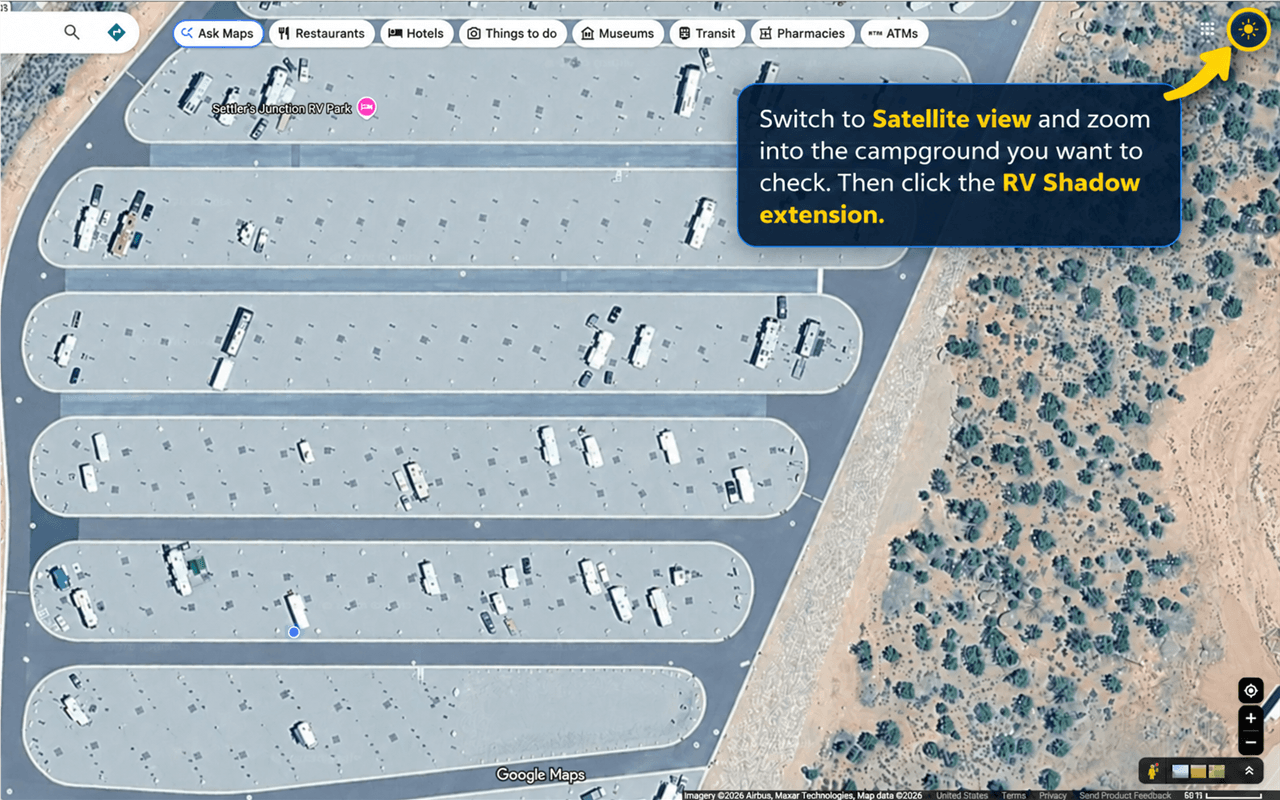
Find the campground in Google Maps. Switch to Satellite view, keep the map north-up (the default in flat 2D view), and make sure Globe view is off. Zoom in until you can clearly see the individual campsites. Then click the RV Shadow extension icon.
Need help resetting the map to north-up?
Open Layers → More and turn off Globe view. If a compass appears, click it to reset the map to north-up. View Google Maps help.
Place and rotate the RV
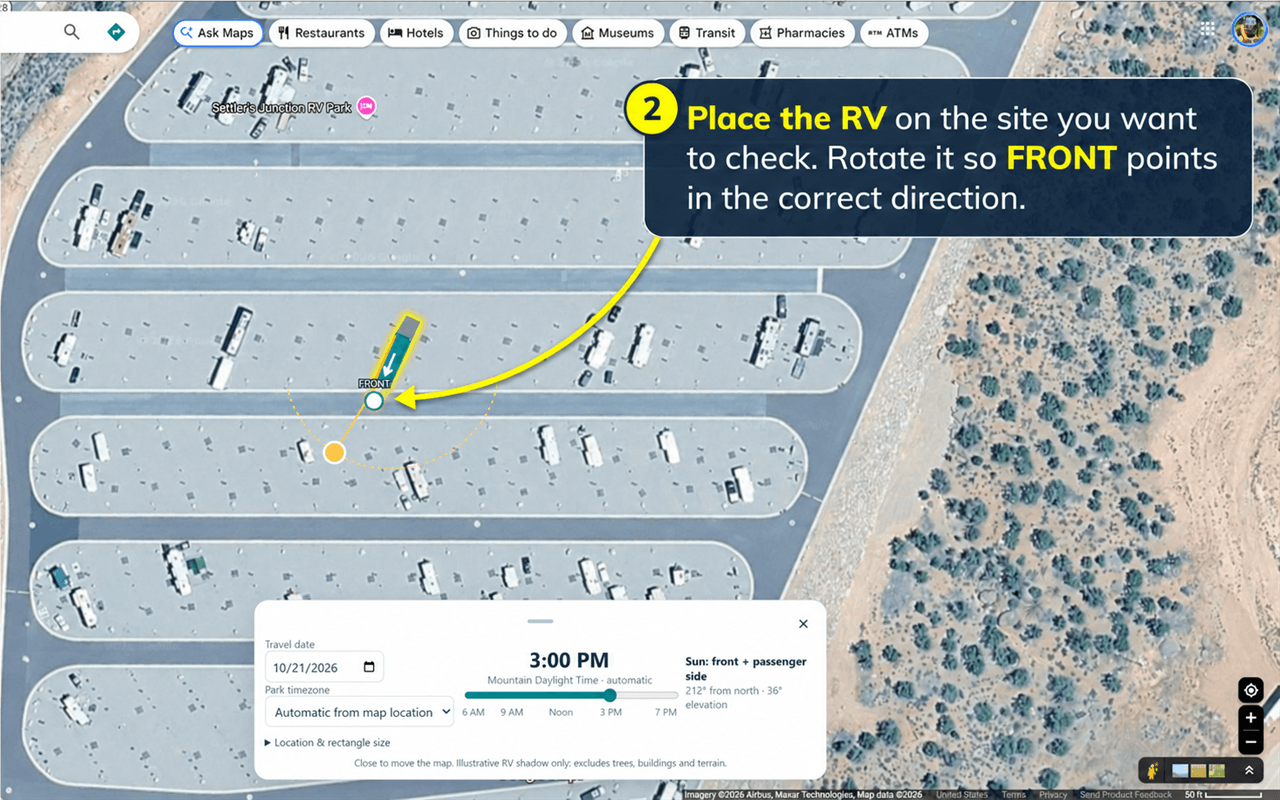
Drag the RV icon onto the campsite you want to check. Drag the round rotation handle until the white FRONT arrow points in the same direction your RV will face.
Choose the date and time
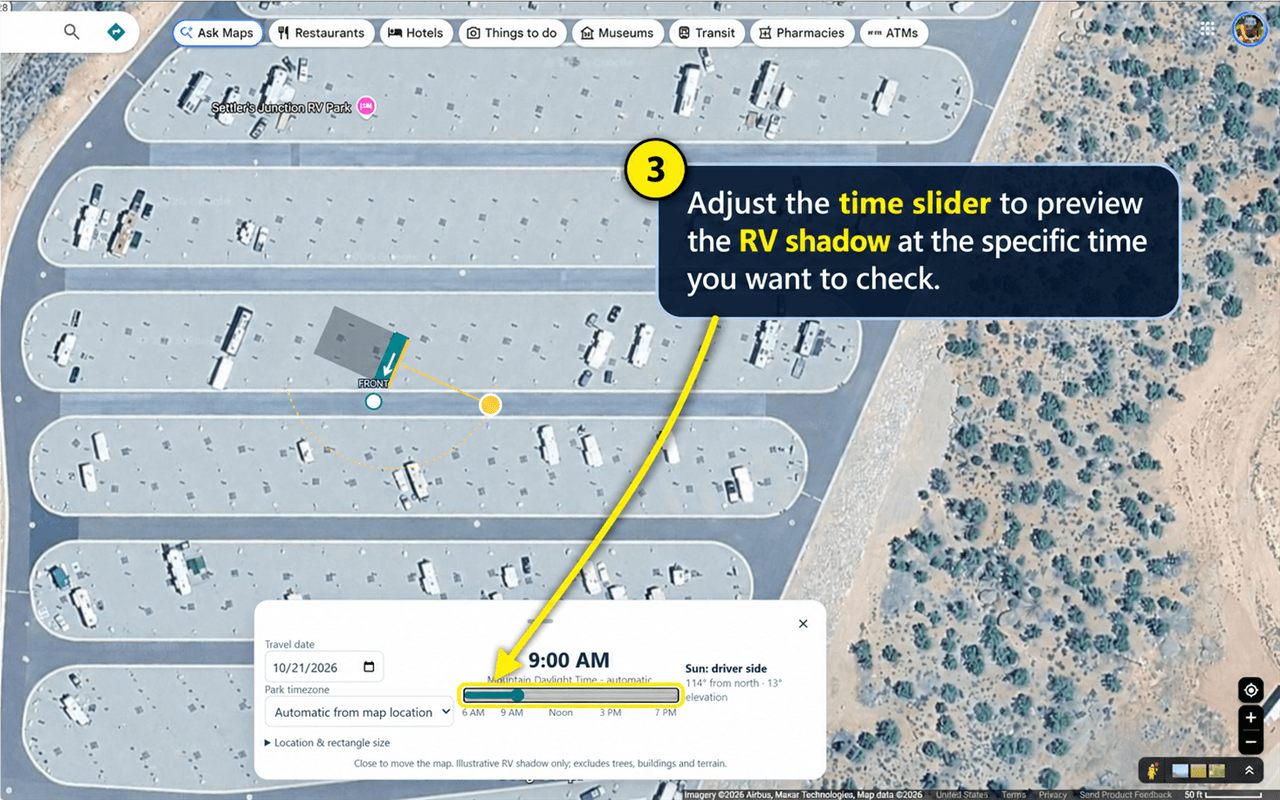
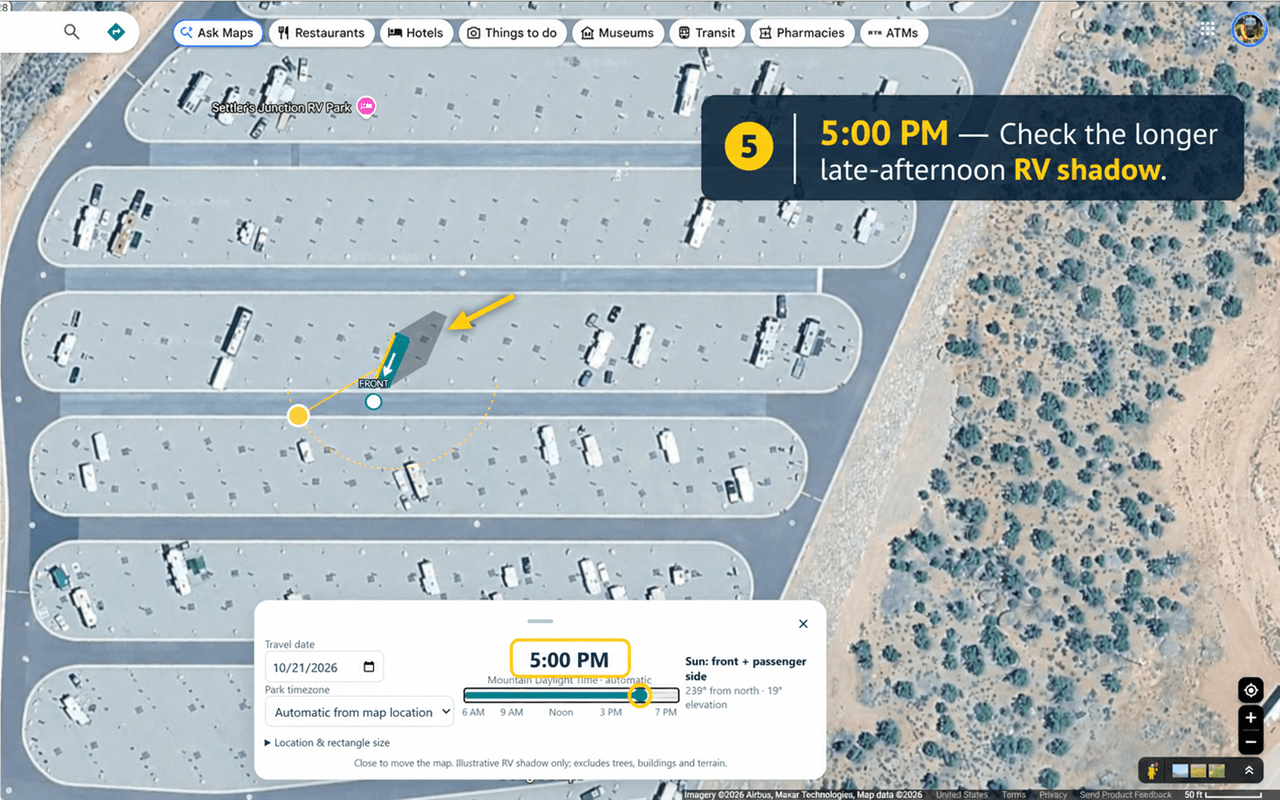
Choose your travel date, confirm the displayed park timezone, and drag the time slider. As you drag it, the time will change and show your RV shadow. I like afternoon shade, so I first check at 3:00 PM.
Compare different times
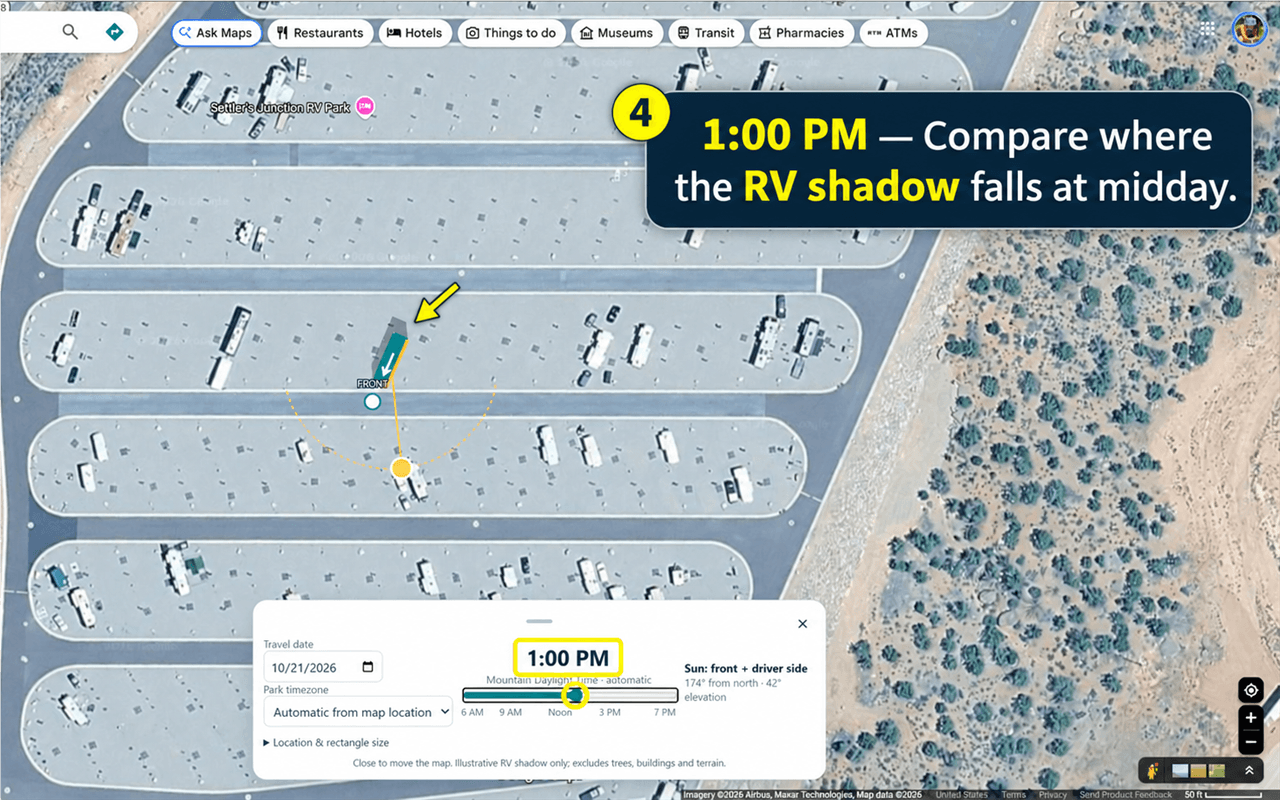
Move the slider through the day to compare how the shadow changes. These examples show the same campsite and RV at 1:00 PM and 5:00 PM.
Helpful tips
- Use the rectangle-size control if the RV icon needs to better match the campsite.
- Click the X or press Escape before moving or zooming the map.
- After repositioning the map, click the RV Shadow extension icon again.
- The extension reads the map-center location; it does not use your device's GPS location.